llama.cpp + MTP is crazy fast
Posted: Thu Jun 04, 2026 5:24 pm
I have been playing around with llama.cpp and the speed-up is crazy. I use Qwen 3.6 35B A3B which normally runs at about 15 tokens per second and with MTP I get a little over 40 tokens /s. Not only that, but I went from Q5 to the Q5XL with very little loss in speed. So I now have a useful local AI with a context of 163,840 that still runs at over 35 t/s once the context starts to fill up. Here is my llama.cpp script for anyone to try.
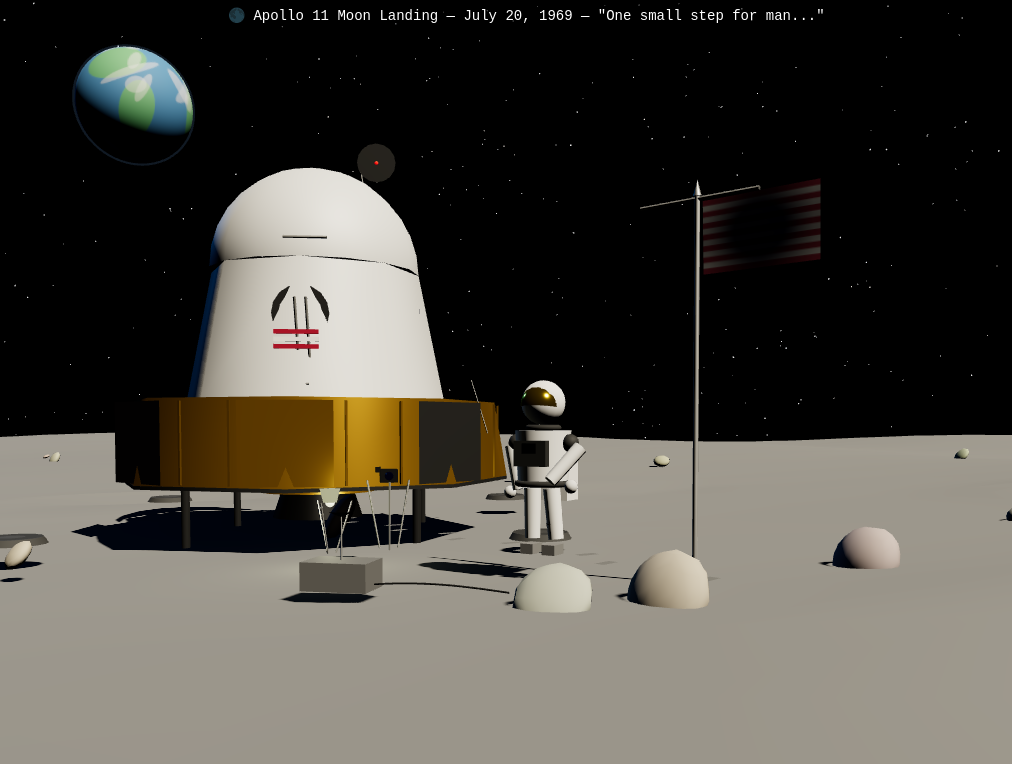
Here is a quick test I did. I will be testing this out more later, but this is a very useful model and MTP give it enough speed so it's fun to use.
And another quick test.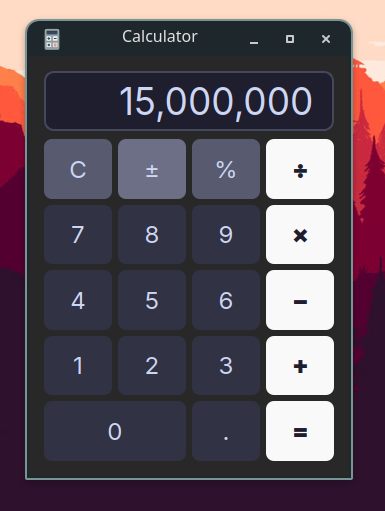
Please let me know if there are any tricks to get this to run even faster. I think with time local AI will be useful for coding tasks and other high-end workloads. I just hope we will be living in a world where companies will sell graphics cards with high amounts of VRAM. I hope renting them or a service becomes a thing of the past.
Code: Select all
#!/usr/bin/env bash
# Script to run Qwen3.6-35B-A3B MTP model optimized for RTX 4070 (8GB VRAM) and i9-13890HX (24-core CPU, 96GB RAM)
# Path to the compiled CUDA llama-server binary
SERVER_BIN="/path/to/llama.cpp/bin/CUDA/llama-server"

# Model configuration
MODEL_PATH="/path/to/models/Qwen3.6-35B-A3B-MTP/Qwen3.6-35B-A3B-UD-Q5_K_XL.gguf"
MMPROJ_PATH="/path/to/models/Qwen3.6-35B-A3B-MTP/mmproj-F16.gguf"

# Hardware optimizations
# Set GPU_LAYERS to 99 (all layers) but use --cpu-moe and --cpu-moe-draft to force the massive
# MoE expert weights to reside in system RAM (96GB), keeping the hot path (Attention, KV Cache,
# Emb/Out heads, MTP dense layers) in high-speed GPU VRAM (8GB) without causing OOM.
GPU_LAYERS=99

# Threads setup for i9-13890HX (8 Performance cores, 16 Efficient cores).
# Heavy matrix computation (LLM inference) runs best matching the physical Performance cores (8 threads).
THREADS=8
THREADS_BATCH=16 # Batch processing can benefit from more threads

# Context and KV Cache configurations
# Keep context size reasonable (e.g., 32768) to prevent massive KV cache overhead on system memory.
# --cache-type-k q8_0 and --cache-type-v q8_0 compress KV cache to 8-bit to save memory bandwidth.
CTX_SIZE=163840

# Run the llama-server pinned to Intel P-Cores (cores 0-15) for maximum performance
exec taskset -c 0-15 "$SERVER_BIN" \
    --model "$MODEL_PATH" \
    --mmproj "$MMPROJ_PATH" \
    --n-gpu-layers "$GPU_LAYERS" \
    --cpu-moe \
    --cpu-moe-draft \
    --parallel 1 \
    --ctx-size "$CTX_SIZE" \
    --threads "$THREADS" \
    --threads-batch "$THREADS_BATCH" \
    --cache-type-k q8_0 \
    --cache-type-v q8_0 \
    --flash-attn on \
    --no-mmap \
    --seed 3407 \
    --port 8080 \
    --host 0.0.0.0 \
    --temp 0.6 \
    --top-p 0.95 \
    --top-k 20 \
    --min-p 0.00 \
    --spec-type draft-mtp \
    --spec-draft-n-max 2 \
    --chat-template-kwargs '{"preserve_thinking": true}' \
--jinjaUsing three.js make the scene of the moon landing. Show the lunar lander and the US flag being planted by Neil Armstrong.
And another quick test.
Using C++ and QT make a calculator that uses commas as a thousand indicator. I have a hard time telling if I typed 15 million or 1.5 million
Please let me know if there are any tricks to get this to run even faster. I think with time local AI will be useful for coding tasks and other high-end workloads. I just hope we will be living in a world where companies will sell graphics cards with high amounts of VRAM. I hope renting them or a service becomes a thing of the past.